How to delete a user
In order to delete a user you can:
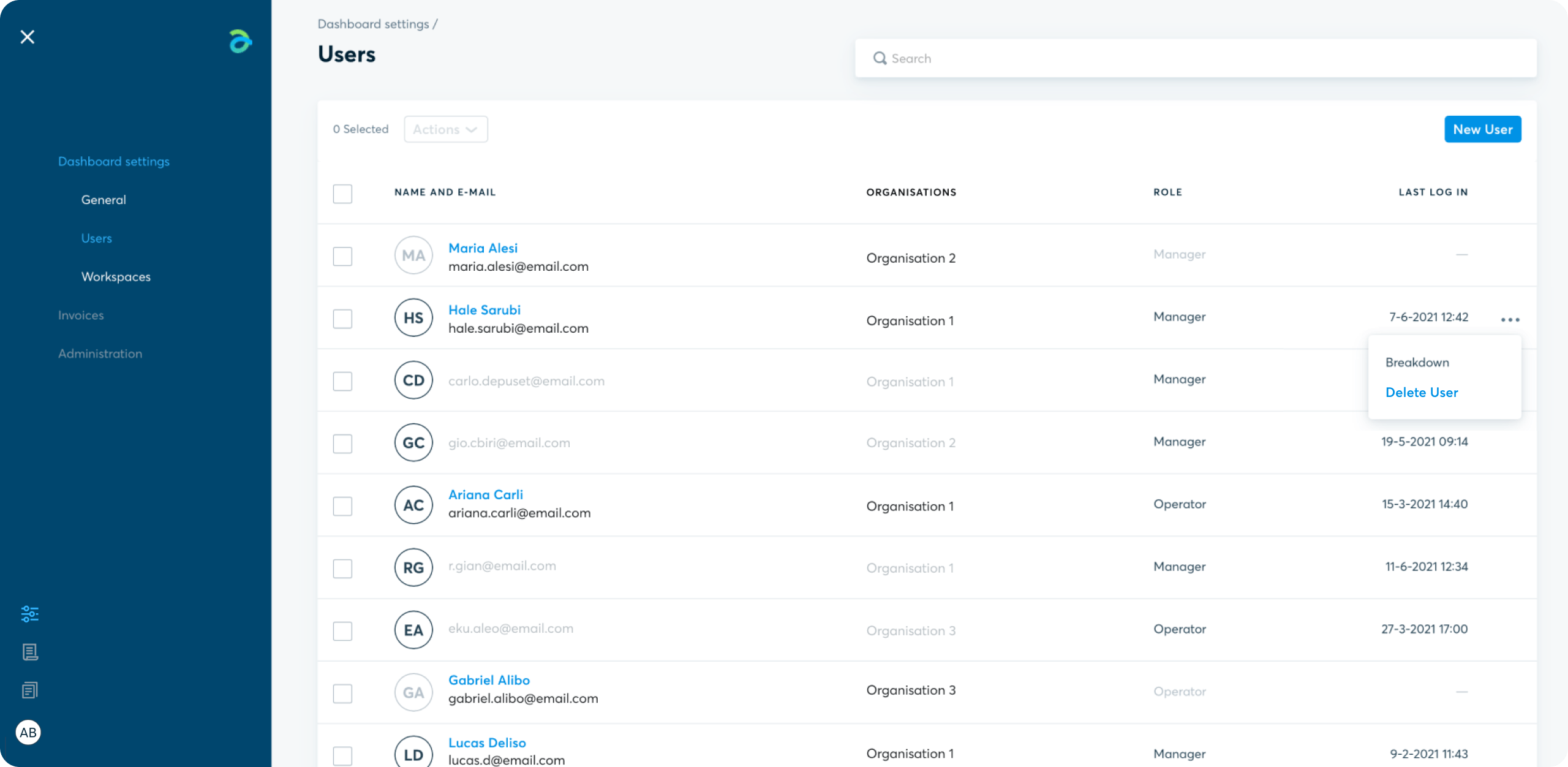
- Access the Dashboard – Dashboard Settings - Users
- Click on the menu with the 3 dots at the right end of the selected user’s row.
- Select “Delete User”
Is your acquirer Banca Sella?
Contact Sella support
Request support for a problem, an intervention or send a report.
Ecommerce SupportUsing other banks?
Contact Fabrick support
If your acquirer bank is different from Banca Sella and you want to report a malfunction:
Warning: for administrative requests or reports click here.
For all other cases:
Other reports