Payments list
Within any workspace, payments can be accessed and managed by clicking on the ‘Payments - POS’ menu option. In this section, you will find a list of payments for the selected workspace. For each payment the following information is shown:
- AUTHORISATION DATE:
The date when the payment was authorised. - SERVICE TYPE:
The service type for the payment (POS/SoftPOS). - SCHEME:
The payment card scheme. - SIGN:
The shop sign and address. - TERMINAL ID:
The unique code identifying the POS/SoftPOS terminal or the relevant service. - STATUS:
The status of the payment. - AMOUNT:
The authorised payment amount.
Additional details are accessible by scrolling to the right.
In the ‘Payments – POS’ section, only payments that have already been accounted for are displayed. Payments are not shown in real time.
This page displays all payments or those corresponding to applied filters in chronological order. It is also possible to create exports (in .xlsx, .csv, and .txt formats) by clicking on the ‘Export’ button.
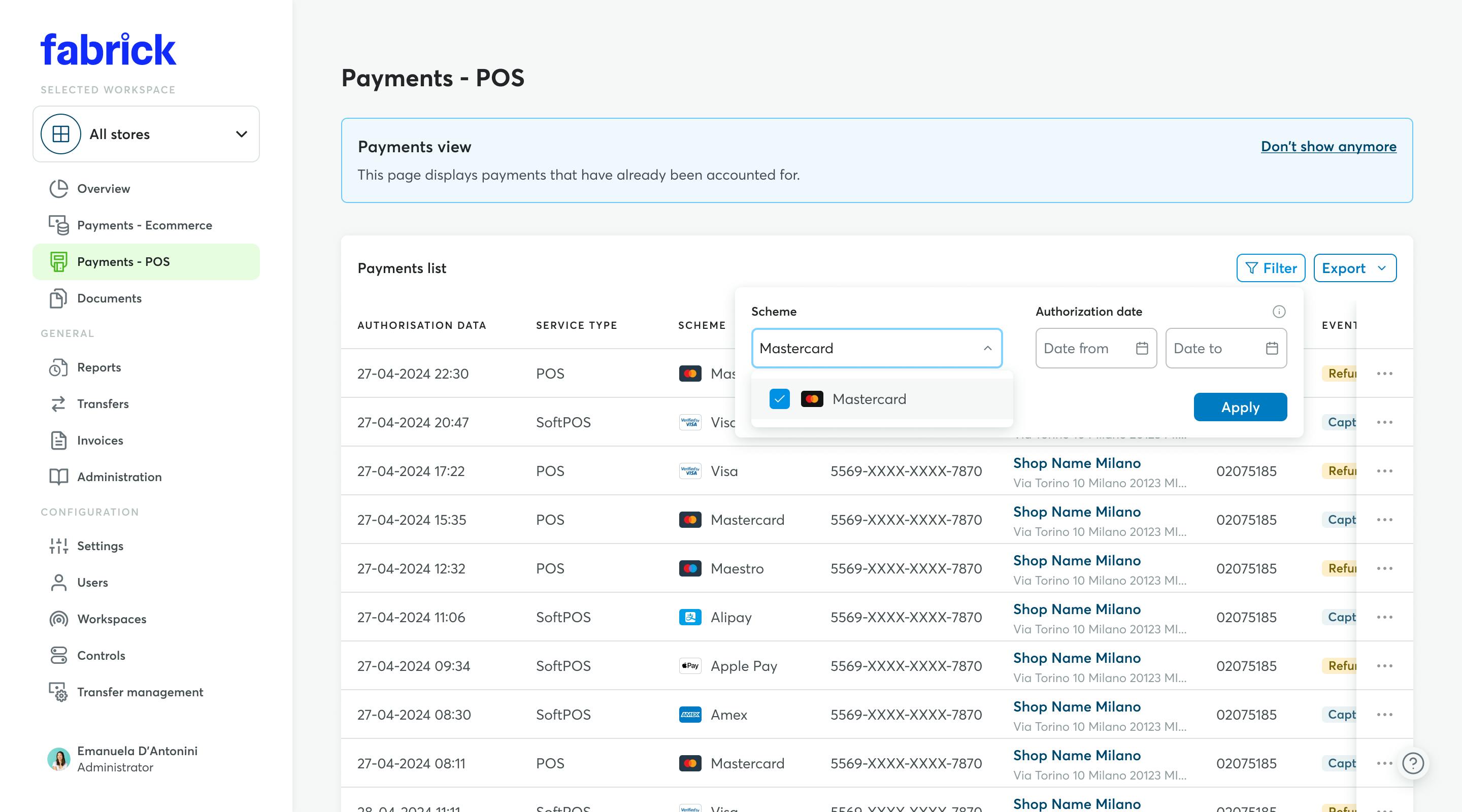
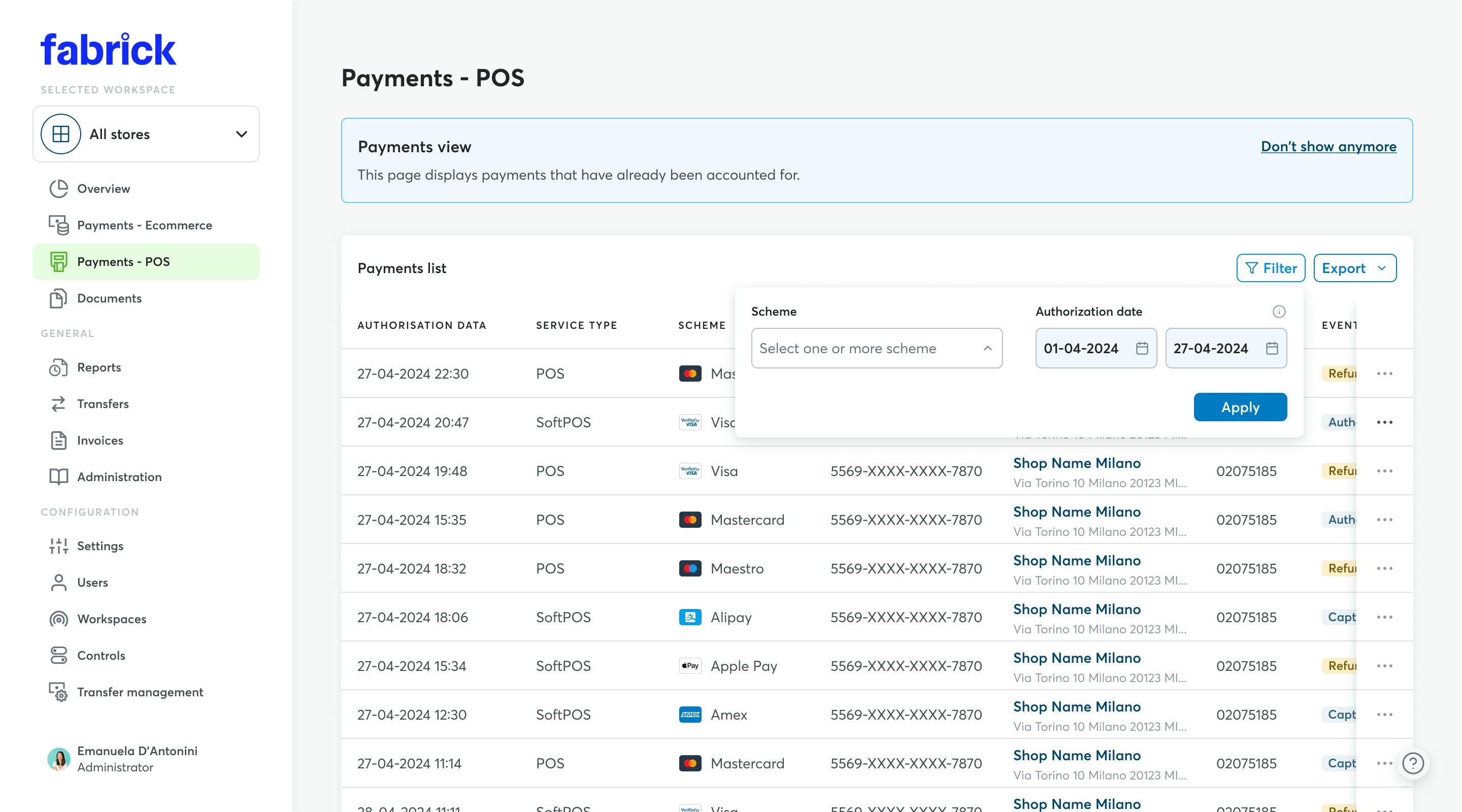
By clicking the ‘Filter’ button, it is possible to access a window to define quick filters to customise the payment list displayed. Specifically, these are the parametes that can be defined:
- SCHEME: Select the schemes and/or any alternative payment systems whose payments you wish to display. After applying the filter, only payments related to the selected scheme (if any) will be displayed.
- DATE OR DATE RANGE: Define the time frame in which the payments occurred.
Once the filter is applied, only payments within the selected time period (if any) will appear.
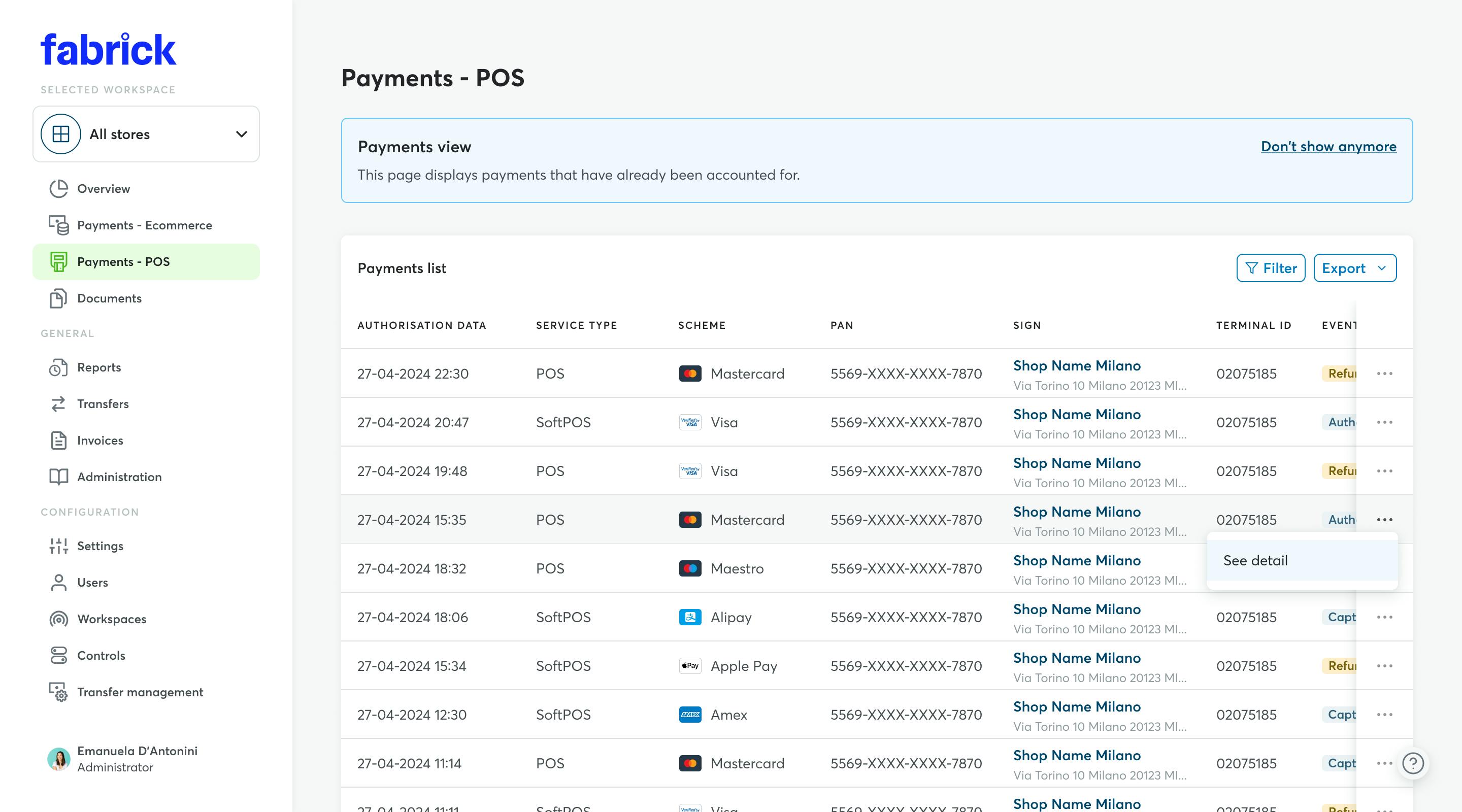
For each payment, you can view detailed information. To access the dedicated section, simply:
- Click the three dots to the right of the payment.
- Select the ‘View Detail’ option.
In the details of an individual payment, you will find several boxes containing the following information:
- AMOUNTS:
Displays the Gross Amount, Net Amount, and Currency. - FEES:
Specifies the commissions applied to the payment: Total fees, Acquiring fees, Extra EEA fees, Interchange fees, and Card scheme fees. - PAYMENT INFORMATION:
Shows general payment details, including Authorisation date, Accounting date, Type of service and Scheme. - IDENTIFIERS:
Displays the payment identification details: Payment ID and Authorisation code. - CARD:
Shows card-related data, including the Brand and masked PAN (Primary Account Number). - MERCHANT:
Displays merchant data, including Terminal ID, SIA code, Establishment, shop Sign and Address.
An aggregated view of POS and/or SoftPOS transactions is not yet available for users managing more than one store (Workspace). At the moment, payments can therefore only be viewed one workspace at a time, by selecting the relevant workspace through the dedicated filter.
However, it is still possible to get an overall view (for example, a daily total) by using the export function.
To do this, you need to:
- Set the “Date or date range” filter to the day or period for which you want to view the total transaction amount;
- Set the “Workspace” filter to the store you want to review;
- Export the filtered data using the “Export” function available at the top right of the page;
- Choose .xlsx as the export format;
- Repeat the process for all the stores (Workspaces) you want to include;
- Combine the exported files and use a spreadsheet to calculate the totals you need.
Is your acquirer Banca Sella?
Contact Sella support
Request support for a problem, an intervention or send a report.
Ecommerce SupportUsing other banks?
Contact Fabrick support
If your acquirer bank is different from Banca Sella and you want to report a malfunction:
Warning: for administrative requests or reports click here.
For all other cases:
Other reports